ImageColorizer Alternatives with Better Quality: 5 Tools Compared
Looking for ImageColorizer alternatives with better quality? Compare Pixomax Studio, DeOldify, Palette.fm, and MyHeritage on skin tones, resolution, batch processing, and pricing.
 (opens in new tab)
 (opens in new tab)
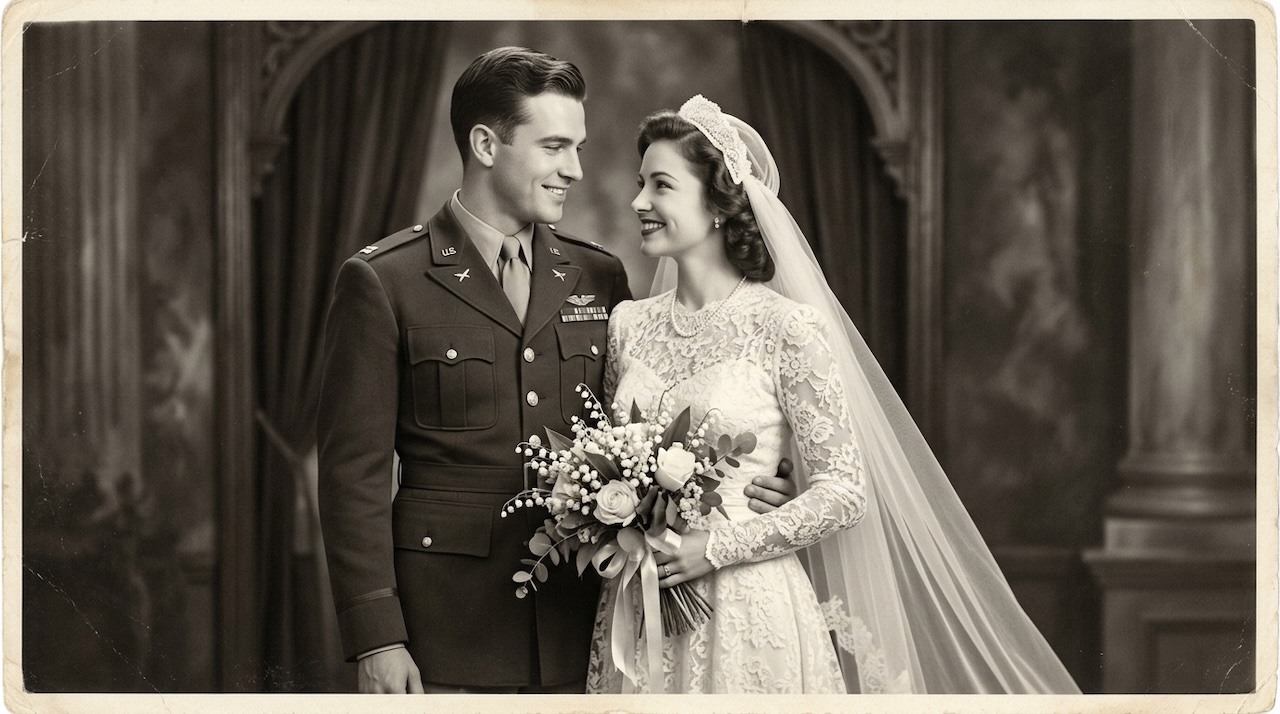
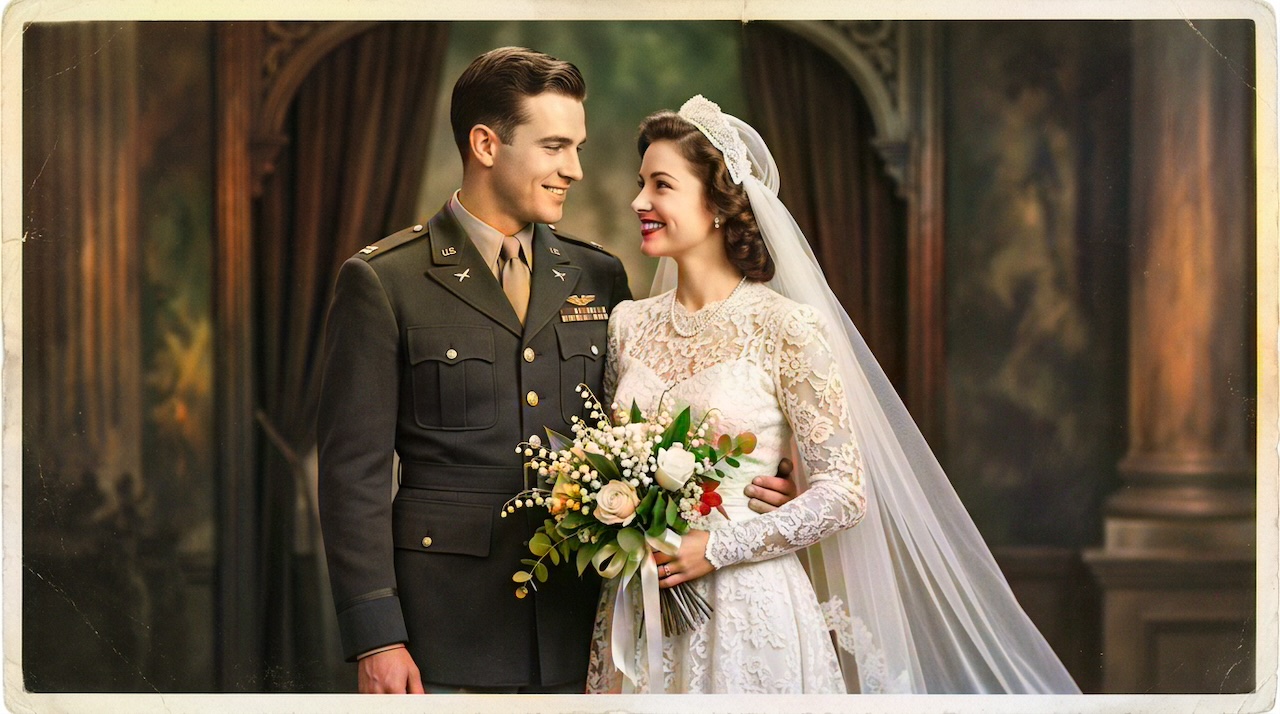
Pixomax Studio result — WWII military wedding portrait. ImageColorizer Alternatives with Better Quality: 5 Tools Compared.
Click any image to open full size in a new tab.
If you have tested ImageColorizer alternatives with better quality, you are not alone. ImageColorizer is popular for its simple upload flow, but users frequently report inconsistent skin tones, resolution limits on free exports, and no batch workflow for large family archives.
This guide compares five alternatives — with honest trade-offs — so you can switch to a colorizer that matches your quality bar. See our full side-by-side comparison table for detailed feature data.
Where ImageColorizer falls short
Common limitations users report:
- Resolution caps on free-tier downloads
- Inconsistent skin tones on vintage portraits with film grain
- No batch processing for album-scale projects
- No developer API for automation
- Limited before/after inspection at full zoom
ImageColorizer works fine for a quick social-media preview. For heirloom portraits, historical archives, or print-ready output, dedicated platforms deliver measurably better results.
Top ImageColorizer alternatives ranked by quality
1. Pixomax Studio — Best ImageColorizer replacement
Pixomax Studio is the strongest ImageColorizer alternative for quality-focused users. The Large model produces more natural skin tones on vintage portraits, and the draggable before/after slider lets you inspect faces and fabric before downloading.
Why switch: full-resolution PNG export, batch folder processing, REST API, free tier.
Compare Pixomax Studio pricing →
2. MyHeritage In Color
Strong portrait quality within the MyHeritage ecosystem. Best if you already pay for genealogy subscriptions. Less flexible for standalone batch export or developer integration.
3. DeOldify (self-hosted)
Open-source quality that rivals commercial tools — if you can manage Python, CUDA, and GPU hosting. Zero per-image cost but significant setup time. Ideal for researchers, not casual users.
Learn more: DeOldify glossary entry.
4. Palette.fm
Better manual palette control than ImageColorizer, but automated skin tone accuracy on vintage portraits is less consistent. Good for creative projects, less ideal for family history accuracy.
5. Hotpot.ai / other browser colorizers
Various one-click browser tools exist at similar quality tiers to ImageColorizer. They share the same limitations: single-image workflow, resolution caps, no archive-scale processing.
Side-by-side quality comparison
| Feature | ImageColorizer | Pixomax Studio |
|---|---|---|
| Skin tone accuracy | Good (varies) | Excellent (Large model) |
| Full-res export | Limited on free | Yes |
| Batch processing | No | Yes |
| API access | No | Yes |
| Before/after preview | Basic | Live slider + zoom |
| Free tier | Yes | Yes |
How to switch from ImageColorizer without losing quality
Follow these steps to get the best results on any alternative:
- Locate your original scans — always colorize from the highest-resolution grayscale source
- Do not re-upload ImageColorizer exports — JPEG compression destroys detail the new model could recover
- Test the same portrait on 2–3 alternatives — compare skin tones at 100% zoom
- Pick a plan based on volume — single photos need credits; archives need batch + subscription
View Pixomax Studio plans for your project size →
Who should stay on ImageColorizer?
ImageColorizer remains a reasonable choice if you:
- Need exactly one quick preview with no account
- Do not care about print resolution
- Are not processing more than a handful of photos per year
Everyone else — family historians, genealogists, archivists, and content creators — will see meaningful quality gains from switching.
Frequently asked questions
What is the best ImageColorizer alternative?
Pixomax Studio is the best ImageColorizer alternative for users who need better skin tone accuracy, full-resolution exports, batch processing, and API access. It uses a modern Large model optimized for vintage portraits.
Why does ImageColorizer quality vary so much?
ImageColorizer quality depends on input resolution, photo type, and server-side model selection. Free-tier exports often apply compression and resolution caps that reduce detail on fine features like faces and fabric.
Can I migrate from ImageColorizer to another tool?
Yes. Re-upload your original grayscale scans — never upscale ImageColorizer exports. Starting from the highest-quality source scan always produces the best results on any alternative platform.
Are ImageColorizer alternatives more expensive?
Not necessarily. Pixomax Studio offers a free tier comparable to ImageColorizer, with transparent credit packs and subscriptions for users who need batch processing or full-resolution output.
Related guides
- Military Portrait Colorization Guide: Uniforms, Insignia & Skin Tones
Colorize military portraits and uniform photos with AI — WWII, Korea, and Vietnam-era dress uniforms with natural wool tones and accurate facial color.
- WWII-Era Wedding Photo Colorization: Military Portraits & Bridal Gowns
Colorize WWII-era wedding photos featuring military dress uniforms and period bridal gowns — accurate skin tones, wool colors, and lace detail with AI.
 Living Portraits: Bringing Still Memories to Life with Pixomax AI Motion
Turn restored stills into living portraits — AI old photo restoration meets motion synthesis to repair damaged photos, enhance picture quality, and animate a gentle smile for sharing.
Compare tools in our AI photo colorizer comparison table or browse the colorization glossary.