Best AI Photo Colorizer in 2026: Top Tools Ranked for Quality & Value
Compare the best AI photo colorizers in 2026 — Pixomax Studio, ImageColorizer, DeOldify, Palette.fm, and MyHeritage — ranked by skin tone accuracy, batch processing, and export quality.
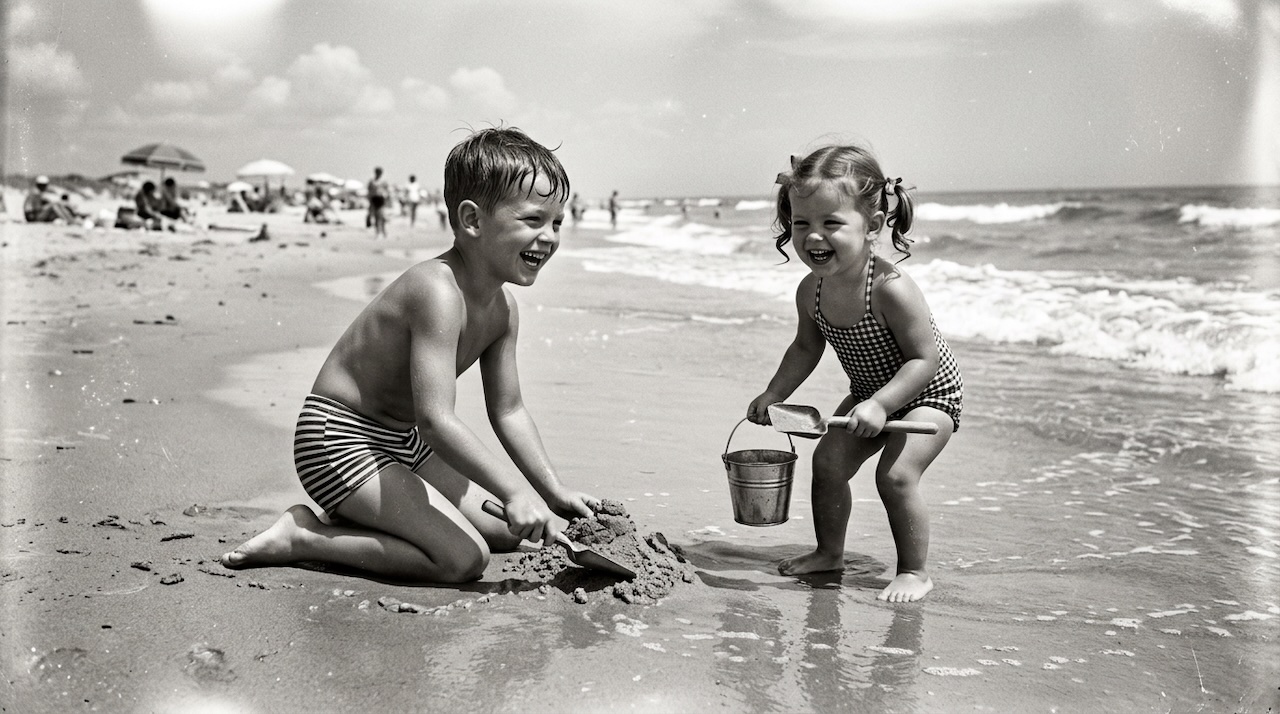 (opens in new tab)
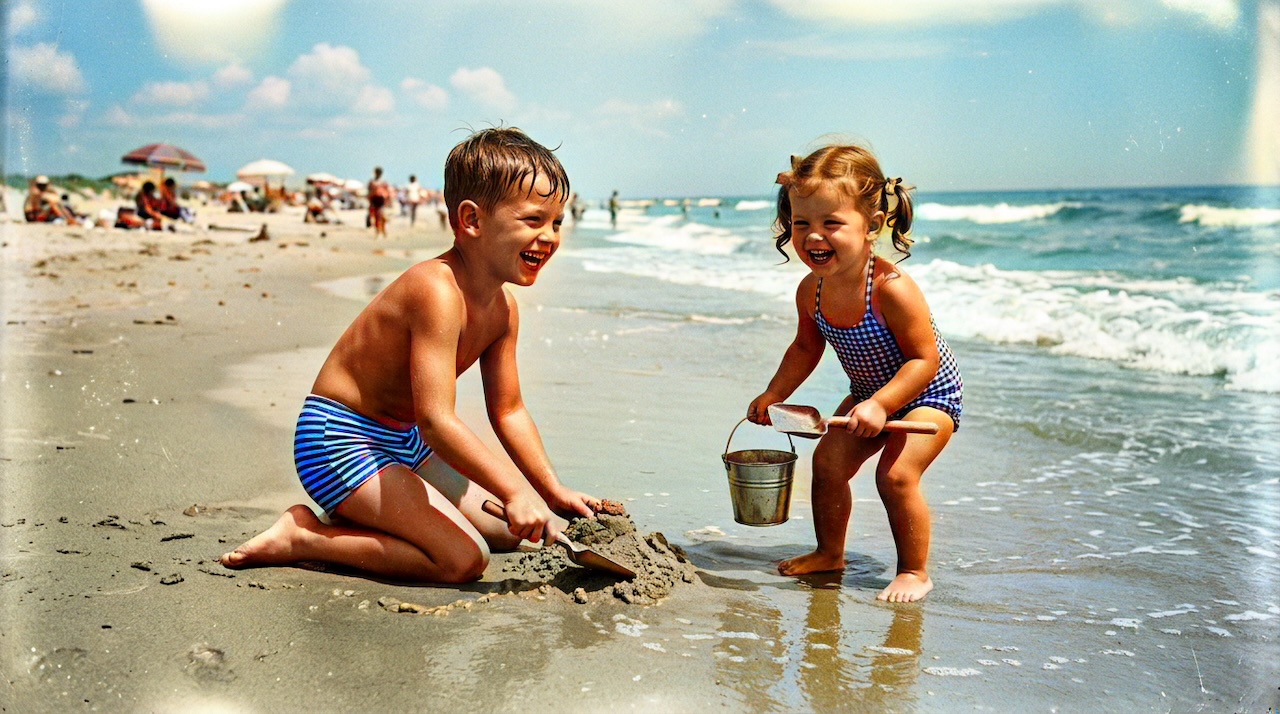 (opens in new tab)
Pixomax Studio result — 1950s beach childhood. Best AI Photo Colorizer in 2026: Top Tools Ranked for Quality & Value.
Click any image to open full size in a new tab.
Finding the best AI photo colorizer in 2026 means weighing more than a flashy demo — you need natural skin tones, full-resolution exports, and a workflow that scales from one wedding portrait to an entire family archive.
This guide ranks the leading tools, explains what separates professional results from filter-like output, and helps you pick the right colorizer for your project. For a detailed feature matrix, see our tool comparison.
What makes a great AI photo colorizer in 2026?
The best colorizers in 2026 share four traits:
- Context-aware color — skin, fabric, foliage, and skies read naturally, not like a flat Instagram filter
- High-resolution output — exports match your scan dimensions for printing and archiving
- Batch workflow — process dozens or hundreds of photos without manual repetition
- Transparent pricing — clear credit usage with free tiers for testing
Older GAN-based tools like DeOldify pioneered the category. Modern diffusion and hybrid models — including Pixomax Studio's Large model — deliver finer detail on faces, lettering, and semi-transparent areas.
Top AI photo colorizers ranked for 2026
1. Pixomax Studio — Best overall
Pixomax Studio leads our 2026 rankings for family historians, archivists, and developers. The Large model produces the most consistent skin tones on vintage portraits, and the live before/after slider lets you inspect faces before committing credits.
Standout features: batch processing, REST API, full-resolution PNG export, free tier.
View Pixomax Studio pricing and plans →
2. MyHeritage In Color — Best for existing genealogy subscribers
If you already use MyHeritage for family trees, In Color integrates colorization into your existing workflow. Quality on portraits is strong, but batch export and API access are limited compared to dedicated colorization platforms.
3. ImageColorizer — Best for quick single-photo tests
ImageColorizer offers a simple browser upload experience. It works well for one-off experiments, but free-tier resolution limits and the lack of batch processing make it less ideal for full archive projects.
4. Palette.fm — Best for creative palette control
Palette.fm lets you adjust color palettes manually — useful for artistic reinterpretations. For historically plausible family portraits, automated context-aware tools like Pixomax Studio typically produce more consistent results.
5. DeOldify — Best for ML researchers and self-hosters
DeOldify remains the go-to open-source project for researchers comfortable running Python and GPU infrastructure. Quality is good, but the setup cost in time and hardware excludes most casual users.
How we evaluated each colorizer
| Criteria | Weight |
|---|---|
| Skin tone accuracy on vintage portraits | High |
| Full-resolution export | High |
| Batch processing | Medium |
| API / automation | Medium |
| Free tier availability | Medium |
| Ease of use | Medium |
See the full breakdown on our Pixomax vs ImageColorizer comparison page.
Who should use which tool?
- Family historians digitizing a shoebox of prints → Pixomax Studio (batch + quality)
- Genealogy platform subscribers → MyHeritage In Color
- Quick social-media share of a single photo → ImageColorizer or Pixomax free tier
- ML engineers and researchers → DeOldify
- Artistic palette experiments → Palette.fm
Getting started with the best colorizer for your needs
Most users should start with a free colorization on Pixomax Studio, compare the before/after preview at full zoom, then choose a plan based on archive size. Credit packs suit one-time projects; subscriptions make sense for ongoing genealogy work.
Compare Pixomax Studio pricing options →
Frequently asked questions
What is the best AI photo colorizer in 2026?
Pixomax Studio ranks as the best AI photo colorizer in 2026 for most users — it combines natural skin tone rendering, full-resolution exports, batch processing, and a developer API. ImageColorizer and Palette.fm suit quick one-off tests, while DeOldify remains best for self-hosted research projects.
Are free AI photo colorizers good enough for family photos?
Free tiers from Pixomax Studio, ImageColorizer, and Palette.fm can produce acceptable results for social sharing, but full-resolution exports and advanced models typically require a paid plan. For heirloom portraits, investing in a quality tier avoids flat or oversaturated color.
How much does AI photo colorization cost in 2026?
Pricing ranges from free (limited quota) to subscription plans around $10–30/month depending on the provider. Pixomax Studio offers pay-as-you-go credit packs and subscriptions — see current pricing.
Can AI colorizers handle large historical archives?
Yes. Pixomax Studio supports batch folder uploads and ZIP downloads, making it the strongest choice for digitizing entire albums. DeOldify can batch via scripting but requires technical setup.
Related guides
 How to Colorize Old Photos with AI: A Complete Guide
Learn how to colorize black and white family photos using AI — from scanning vintage prints to downloading natural, lifelike color results with Pixomax Studio.
- Colorize 1950s Beach Photos with AI: Childhood Summer Memories
Bring 1950s beach and childhood summer photos back to life with AI colorization — natural skin tones, ocean blues, and period swimwear colors.
- Restore Damaged Vintage Photo Prints Before AI Colorization
Fix cracks, creases, and fading on damaged vintage prints before AI colorization — manual inpainting or Pixomax Smart Damage Repair (+1 credit) plus optional AI Clarity Boost (+2 credits) for 4K output.
Compare tools in our AI photo colorizer comparison table or browse the colorization glossary.