Historical Accuracy vs. AI Guesswork: The Science of Colorizing the Past
Stop fluorescent AI guesswork — learn how Pixomax applies color science to AI old photo restoration, repair damaged photos, and enhance picture quality with period-accurate wedding and archive tones.
A 1943 wedding should not glow like a smartphone wallpaper — yet that is what cheap colorizers deliver: fluorescent roses, plastic skin, and wool uniforms dyed like sports jerseys. Real AI old photo restoration respects chemistry, not hype. It must repair damaged photos without inventing circus colors, and enhance picture quality while keeping the hush of a chapel, not the punch of a TikTok filter. That is the line between historical accuracy and AI guesswork — and it is where Pixomax Studio draws its boundary.
 (opens in new tab)
 (opens in new tab)
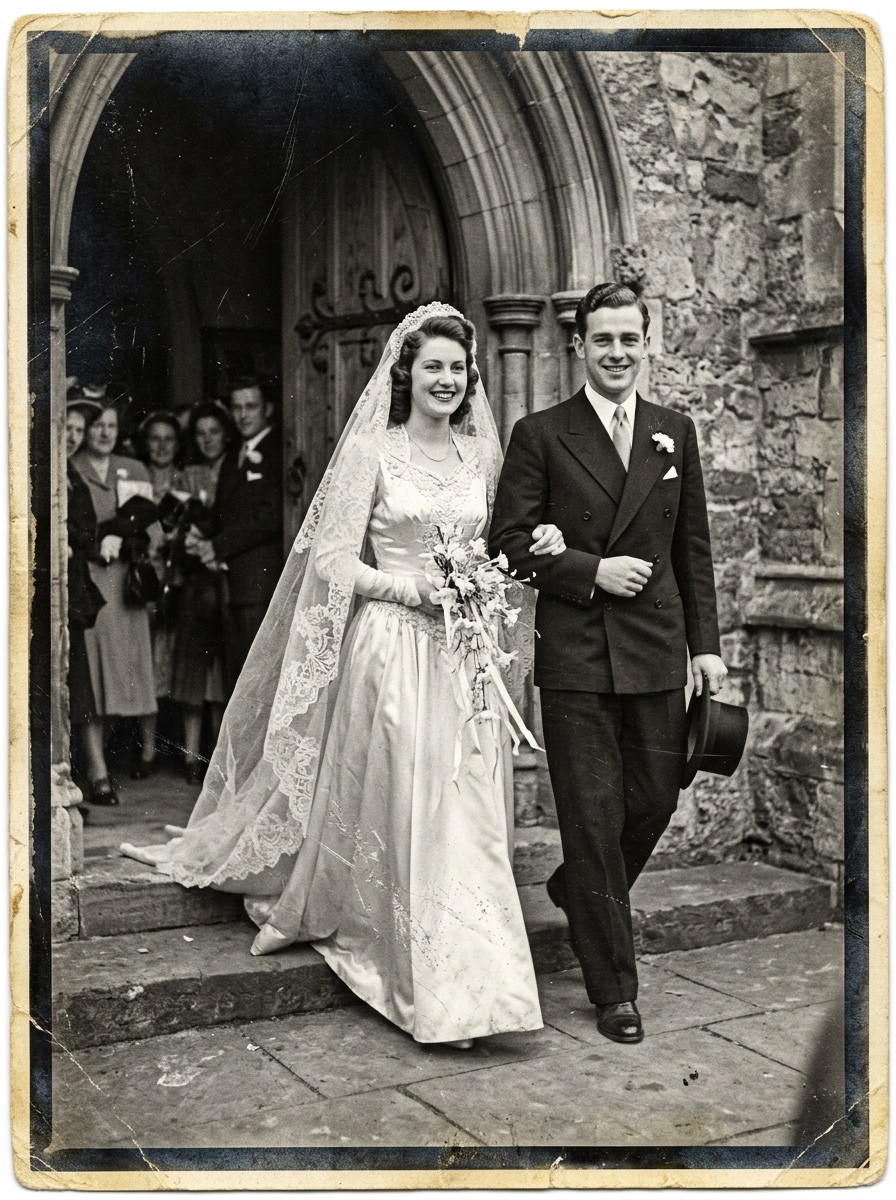
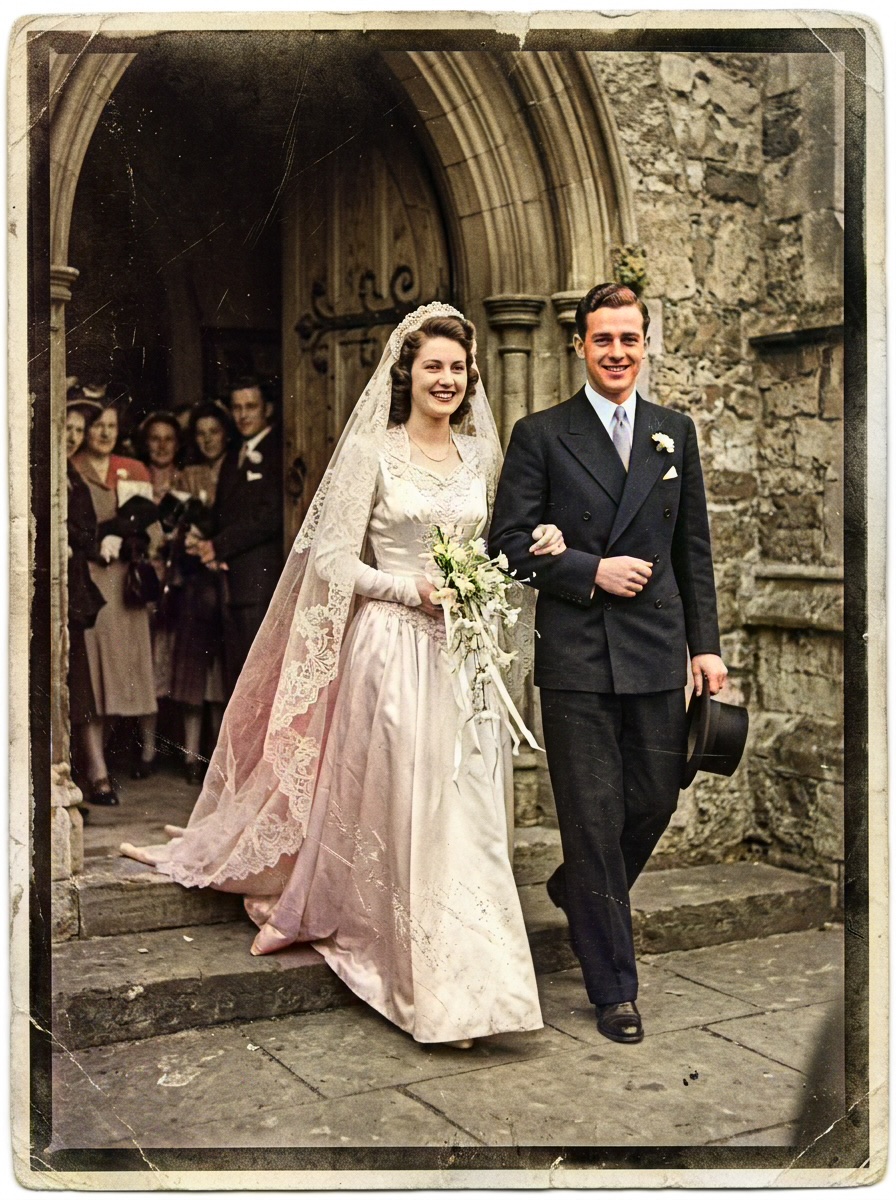
1940s wedding — before B&W master; after Pixomax colorization with restrained saturation and accurate lace whites.
Click any image to open full size in a new tab.
Why "AI guesswork" fails archives
Most consumer tools optimize for engagement, not evidence. They amplify saturation because bright thumbnails win clicks. On a wartime wedding portrait, that means:
- Bouquets become cherry red instead of garden-mixed pastels
- Ivory lace clips to pure #FFFFFF — losing fold shadow
- Skin shifts orange under tungsten studio lights misread as "warmth"
These are not artistic choices. They are guesswork artifacts from models never finetuned on period portraiture.
Period-aware color: what Pixomax knows
Pixomax Large model training emphasizes semantic segmentation — separating lace, wool, skin, and floral regions before color assignment. That mirrors research-grade ControlNet conditioning used in Stable Diffusion archival finetunes.
| Era / material | Common AI mistake | Pixomax approach |
|---|---|---|
| 1940s wedding lace | Pure white blowout | Ivory with shadow rolloff |
| Military wool | Neon olive | Desaturated period olive |
| 1950s 的确良 cotton | Fluorescent pastels | Muted daywear dyes |
| Studio skin (tungsten) | Orange cast | Warm but bounded midtones |
Learn DeOldify history versus modern LDM pipelines on our glossary.
Color balance: avoiding the "shot yesterday" look
Color balance in restoration means three controls working together:
- Shadow warmth — analog prints lift blacks toward brown, not blue
- Highlight shoulder — film rolls off bright lace gently; digital tools clip harshly
- Global saturation cap — formal portraits stay quieter than vacation slides
When you enhance picture quality with AI Clarity Boost (+2 credits), Pixomax preserves this balance — sharpening lace filigree without pushing roses into neon.
Repair first, then colorize with restraint
Yellowed emulsion and edge foxing confuse color models. Smart Damage Repair (+1 credit) stabilizes the luminance map so bouquet greens and veil ivory inherit correct relationships — not scratch noise misread as color edges.
Try Pixomax's professional-grade AI colorizer on your wedding scan, or read colorize wedding photos AI guide.
 (opens in new tab)
 (opens in new tab)
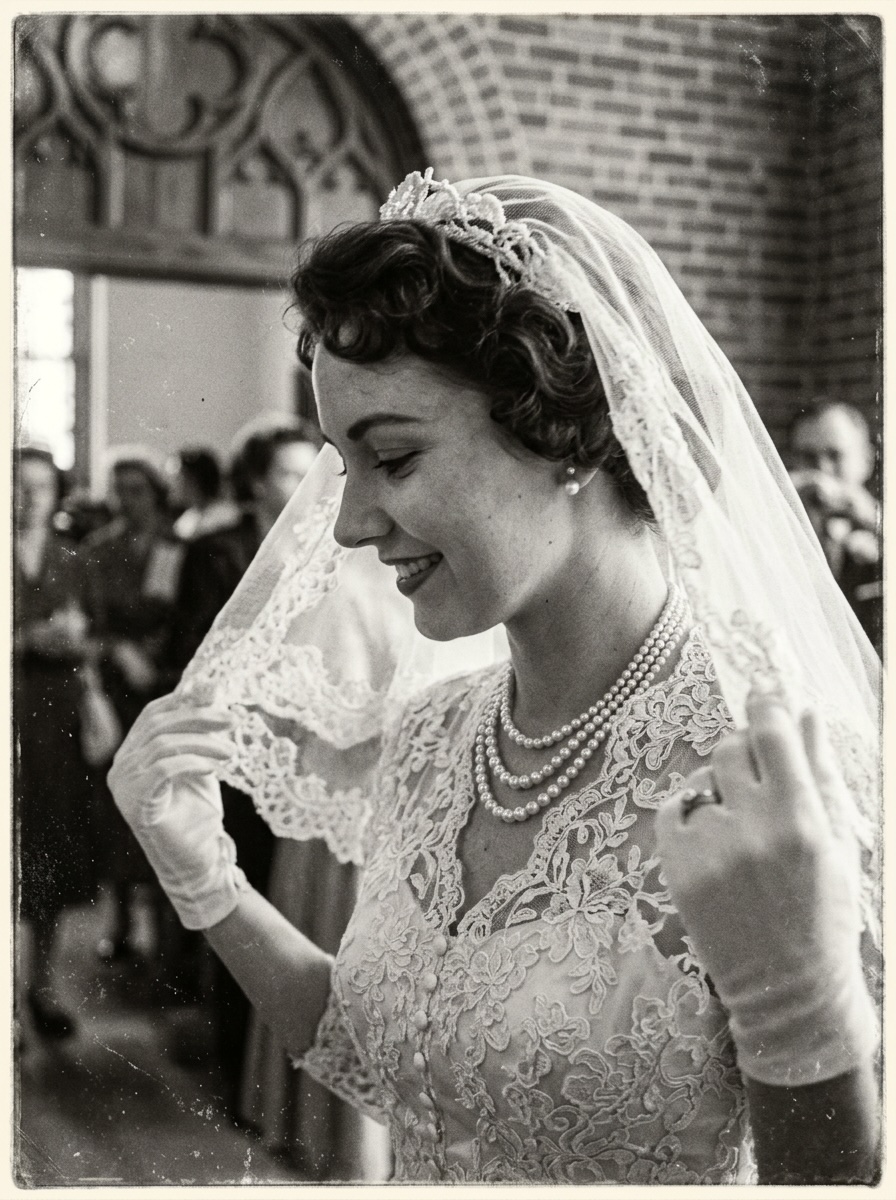
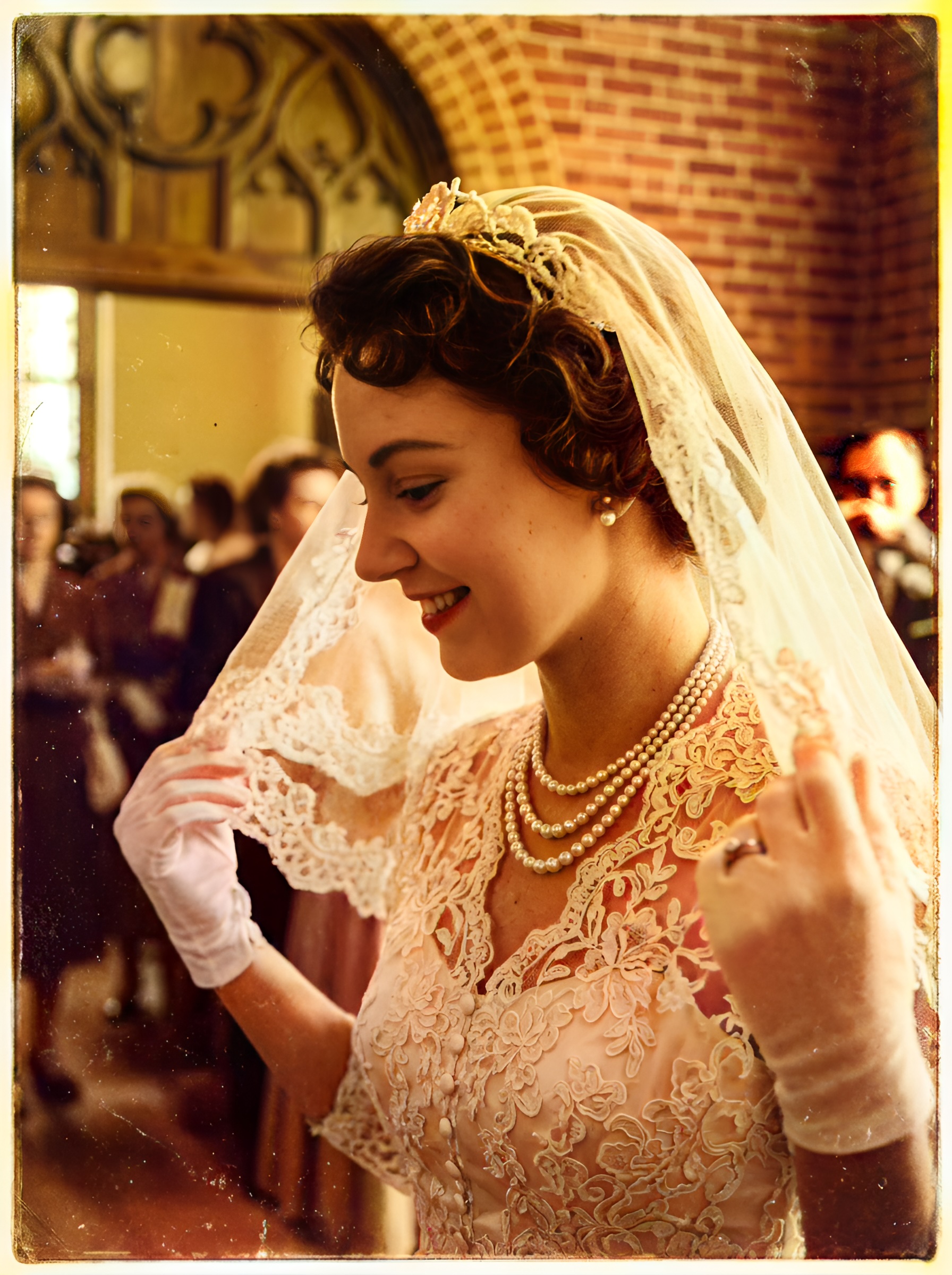
Formal wedding archive — f-series comparison showing balanced military and bridal tones.
Click any image to open full size in a new tab.
Frequently asked questions
Why do some AI colorizers produce neon or fluorescent colors?
They default to modern digital saturation. Pixomax Large targets period-plausible palettes.
How accurate is AI wedding photo colorization?
Plausible reconstruction, not documented dye analysis — always keep the B&W master. Wedding colorization guide.
What is color balance in historical restoration?
Shadow warmth + highlight rolloff + saturation caps — not phone-camera HDR.
Can I repair damaged photos and colorize with accurate tones?
Smart Damage Repair (+1) then Large model colorize — View Pixomax Studio pricing and credit plans.
Related guides
 Living Portraits: Bringing Still Memories to Life with Pixomax AI Motion
Turn restored stills into living portraits — AI old photo restoration meets motion synthesis to repair damaged photos, enhance picture quality, and animate a gentle smile for sharing.
 In the Age of AI, Who Owns Your Family Memories? Our Privacy 3.0 Manifest
AI old photo restoration without surrendering your archive — Pixomax Privacy 3.0 explains encryption, zero training retention, and why we never repair damaged photos to feed public models.
 Effortless Archiving: Batch Restoring Your Entire Family Album in Minutes
Batch AI old photo restoration for collectors and studios — repair damaged photos across hundreds of scans and enhance picture quality at 10 seconds per frame vs. 2 hours manual retouching.
Compare tools in our AI photo colorizer comparison table or browse the colorization glossary.